How do I create interactive e-learning content? 2026 tips & examples

e-Learning developer at FLOWSPARKS
Interactivity isn’t just a nice-to-have in e-learning—it’s what makes the difference between passive content and real learning. In a time where attention is short and expectations are high, static modules just don’t cut it anymore. But knowing why interactivity matters is one thing—actually being able to create interactive e-learning content is another.
In this blog, you will discover:
- what interactive e-learning content actually means
- why you need it to make an impact
- what you need to develop it
- 5 concrete ways to make your content more interactive
- and how e-learning creation tools such as FLOWSPARKS simplify this process
- plus a look at future trends in interactive e-learning
What is interactive e-learning content?
Interactive e-learning content means that participants don't just receive information, they also have to do something with it. Instead of passively reading or watching a video, learners become active players who click, make choices, receive feedback, and reflect.
Examples include:
- Clickable visuals such as a hotspot: the learner clicks on parts of an image and discovers hidden information;
- Drag & drop exercises: for example, linking materials to the correct safety procedure;
- Quiz with immediate feedback: not only pointing out what is wrong, but also explaining why;
- Branching scenarios: “What would you do in this situation?” Each choice leads to a different outcome;
- Practical situations that you have to assess or respond to correctly
- Simulations: in FLOWSPARKS, ACTIONPLEASE takes you into a real situation and you have to intervene when you think things are going wrong.
In summary, interactive e-learning content changes the role of the learner from a passive observer to an active participant. It is no longer about absorbing knowledge but about experiencing, doing, and reflecting. These are precisely the ingredients needed to learn new behaviors and skills.
Why do I need interactive e-learning content?
Investing the time to create interactive e-learning content pays off because it makes learning not only more engaging but also more effective. When participants actively participate, they remember much more than when they only passively receive information.
What's more, the learning experience immediately feels more realistic and practical because you don't just read about a situation, you actually experience it. This has a direct impact on motivation. Interactive elements give you the feeling that you are making progress and that every step is worthwhile.
Ultimately, learning is about behavioral change. Decades of organizational research show what actually works in practice—see this overview of training science for workplaces. You can only really achieve this when, as a learner, you are given the opportunity to practice, make mistakes, reflect, and try the right behavior again.
Did you know that recent Swiss research (Fladt et al., 2025) shows that interactive modules significantly increase knowledge retention compared to static content? And let's be honest: how many e-learning modules have you clicked through without retaining any of the information?
Interactive e-learning content is therefore the key to converting knowledge (knowing) into behavior (doing). When participants actively make choices, receive feedback, and can practice their own approach, the step from theory to practice becomes much smaller.
What do I need to create interactive e-learning content?
A strong module starts with a clear learning objective: what should the participant do differently after completing the module? From there, you build a narrative centered around interactive exercises. Because that is precisely where learning takes place: by going through scenarios, making mistakes, receiving feedback, and practicing the desired behavior again. Without those practice moments, knowledge remains abstract and difficult to apply.
In addition, the form is important. Long learning programs are often no longer feasible. Participants need short, bite-sized micro-learnings that they can apply immediately. A five-minute scenario or a quick quiz can be enough to stimulate behavior and achieve lasting change step by step.
For many subject matter experts (SMEs), this is the biggest challenge. You have the knowledge and practical experience, but often not the technical skills to convert that into attractive interactive modules. With a tool such as FLOWSPARKS, you can create interactive microlearning or complete modules without any programming knowledge. The templates are designed to be both didactically strong and visually appealing, allowing you to focus on the content while the tool takes care of the right form and interactivity.
So, basically, you need three things: the right focus on learning objectives and behavioral change, an approach that matches the way people learn today (short, relevant, and to the point), and a tool that helps you put this into practice quickly and professionally. With this combination, you can make the leap from dry theory to interactive learning experiences that really get participants moving.
5 ways to make e-learning content more interactive
Practice using short practical situations
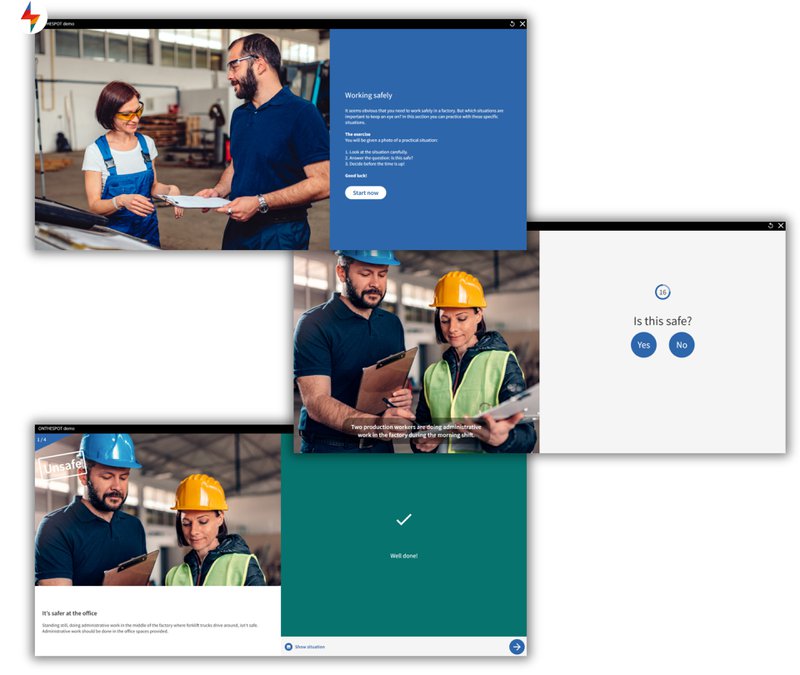
Short practical situations are ideal for allowing learners to apply their knowledge immediately. This keeps them actively engaged with the material. Provide immediate feedback so that mistakes become learning opportunities. Classic organizational meta-analysis shows feedback interventions can change workplace performance—if they’re specific and well-timed.
Example: ONTHESPOT created with FLOWSPARKS’ Authoring Tool. Learners assess short practical situations and receive immediate feedback. Authors can enrich these situations with an accompanying photo.
Add micro-interactions
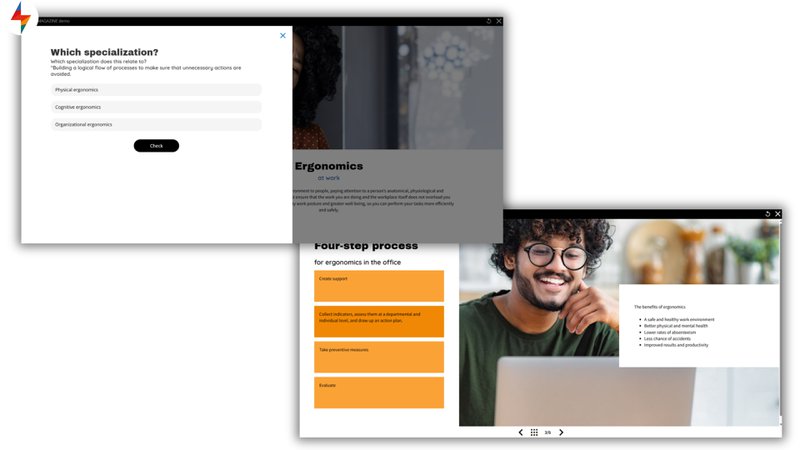
Small click moments or visual triggers make a big difference. Think of answering a multiple-choice question, interactive images such as hotspots, buttons that reveal more information, or short videos to show a practical situation.
Example: SMARTMAGAZINE created with FLOWSPARKS’ Authoring Tool. This template gives the user the freedom to add small interactions such as a hotspot, question, video, etc.
Simulate everyday practice
Nothing works better for behavioral change than practicing in a safe, realistic environment that resembles their everyday practice as closely as possible and in which mistakes are allowed.
Example: TASKSTEPS created with FLOWSPARKS’ Authoring Tool. Software simulations in which the learner can view the entire process and practice it themselves. Afterwards, their knowledge is tested and the learner is offered a step-by-step manual.

Focus on gamification
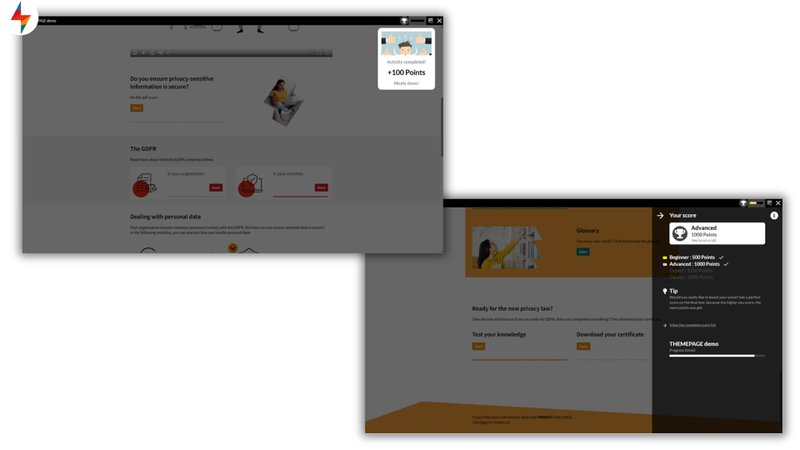
Add game elements such as points, badges, or levels. By adding these elements, you increase learner engagement and make learning more competitive.
Example: THEMEPAGE created with FLOWSPARKS’ Authoring Tool. The points system in this Smart Program increases extrinsic motivation and can encourage learners to participate more actively.
Provide reflection assignments
Real learning only happens when participants reflect on how the content affects their own work. By asking questions about their own actions in a specific work context, you help them translate theory into practice.
Example: QUICKSCAN created with FLOWSPARKS’ Authoring Tool. In this self-assessment, participants must answer questions using a psychometric scale.

By cleverly combining these working methods, you can create interactive e-learning content that not only transfers knowledge, but also initiates new behavior. And that is ultimately where interactive e-learning makes the difference.
My experience with FLOWSPARKS, creating interactive e-learning content
As a coach, I notice that clients often have very theoretical source material, but get stuck on how to convey that theory in a different way. Using FLOWSPARKS' selection guides, I challenge clients to think about how that same knowledge can be conveyed in a more interactive way. This quickly leads to a varied learning path consisting of several smaller components. Because FLOWSPARKS works with didactic templates, they no longer have to worry about the didactic aspects and can focus entirely on the content. Below are two examples of clients who started working with FLOWSPARKS Authoring Tool.
Vincotte
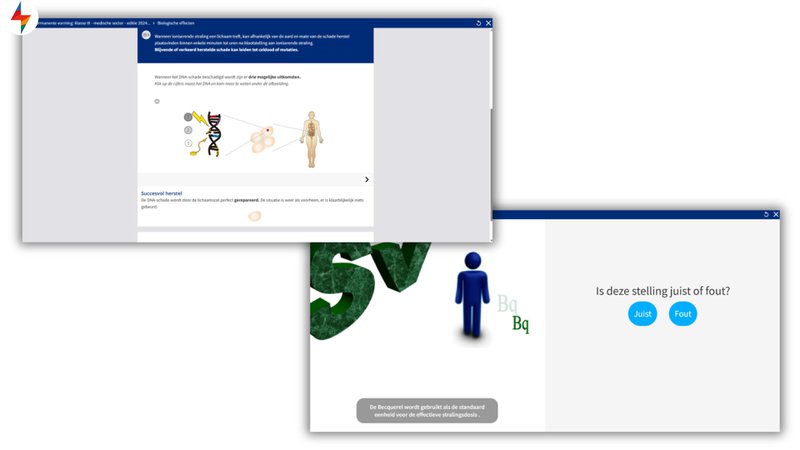
Vincotte offers e-learning courses on radiation protection for the medical sector. Interactivity is very important here, as the same information has to be repeated in a different way every year. FLOWSPARKS made it possible to convey the theory in a varied way, for example by using hotspots in a SMARTPAGES or practicing specific practical situations in an ONTHESPOT.
Greenyard
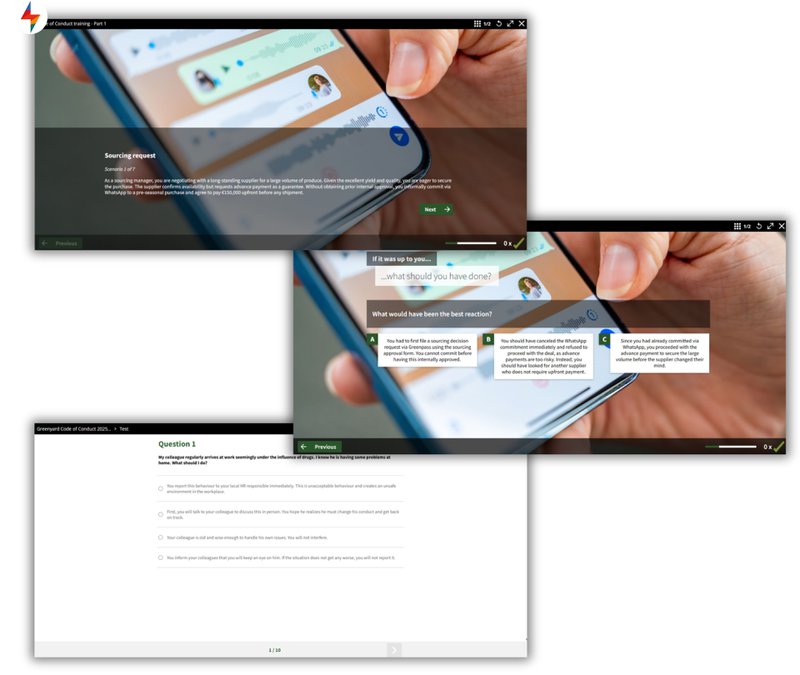
Greenyard considered how they could ensure that a theoretical document such as a Code of Conduct would actually be implemented by employees. FLOWSPARKS had several effective formats available for this purpose. For example, learners can immediately practice very practical situations using STORYWISE. They then take a SMARTTEST to assess whether they have understood the material.
The future of e-learning content
The future of e-learning revolves around personalization and adaptability. Content is tailored to the prior knowledge, needs, and preferences of each learner. Cloud-based platforms such as FLOWSPARKS can offer adaptive learning paths and make personalized recommendations. Furthermore, AI-inspired tools accelerate the content creation process. With FLOWSPARKS' AI Co-Author, for example, teachers/developers can generate blueprints or launch content (texts, images, videos) more quickly, after which they can fine-tune them.
Everything is centralized in a single cloud platform (Authoring Tool + LMS). Creating ideas, publishing content, tracking learning processes, and real-time analytics in a single environment greatly increases workflow efficiency. To increase engagement, you are seeing more and more gamification, storytelling, immersive media (VR/AR) combined with micro/nano-learning and mobile-first designs. Ideal for short, visually appealing learning moments on the go.
Social & blended learning and conversational AI (chatbots, assistants) are also becoming more important for interaction and support. Finally, data and analytics are at the heart of improvement. You learn, adapt, repeat.
FAQ
⚡ How to make interactive e-learning?
Create interactive e-learning by translating learning objectives into active learning methods such as scenarios, quizzes, drag & drop, and simulations. Use short microlearning modules, immediate feedback, and e-learning creation tools such as FLOWSPARKS to turn theory into practical experience.
⚡ What are the benefits of interactivity in e-Learning?
Interactivity makes learning more engaging, effective, and realistic. Participants actively participate, remember more, and practice behavior in a safe context. This increases motivation and knowledge retention and reduces the gap between knowing and doing.
⚡ What do I need to create interactive e-Learning content?
You need three things: clear learning objectives, short and relevant formats, and a user-friendly tool. With a platform such as FLOWSPARKS, you can build attractive and didactically strong modules without any technical knowledge.
.avif)
Are you looking to step up your digital training efforts
inside your organization?
Schedule a demo and discover how FLOWSPARKS helps create and deliver engaging e-Learning experiences backed by strong instructional design principles in multiple languages without a hassle.
More interesting reads

.avif)
Best learning management systems in 2026: how to choose

Top 10 e-Learning authoring tools in 2026