How to make e-learning interactive: 10 proven ways
Want to know how to make e-learning interactive? Explore 10 practical ways to keep learners engaged and transform training into lasting knowledge.

Customer Success Coach at FLOWSPARKS
We all know that interactive elements increase engagement and encourage learners to actively participate. But how do you actually “coat” your e-learning in that interactive layer? You’re definitely not the first to wonder. Whether you're just starting to create digital training or looking to improve existing material, this blog gives you practical tips to bring your e-learning to life.
In this article, I’ll share 10 actionable ways to make e-learning more interactive — from adding simple questions to using hotspots. We'll also explore how you can easily implement these elements with FLOWSPARKS, and how you as an instructional designer can enrich your content to better involve your learners. On top of that, I’ll give you an overview of the best tools for interactive e-learning and share my own experience working with FLOWSPARKS.
Keep reading to discover how to not only make your e-learning more effective, but also better aligned with the needs of your target audience.
What to expect from this blog:
- What is interactivity in e-learning?
A clear explanation of what we mean by interactivity, and why it matters.
- Why you should make your e-learning interactive
An overview of the benefits — from boosting engagement to improving training effectiveness.
- 10 ways to make your e-learning more interactive
Practical tips with real examples of how you can implement them using FLOWSPARKS.
- What are the best tools for interactive e-learning?
A short overview of tools that can help you create engaging digital learning.
- How to make interactive e-learning with FLOWSPARKS
Step-by-step guidance to show how easy it is to create interactive learning content.
- 3 examples of interactive e-learning as an instructional designer
Concrete real-world use cases.
- My experience with FLOWSPARKS as a learning developer
Why I value FLOWSPARKS in my daily work as a Success Coach.
- FAQ
Clear answers to the most frequently asked questions about interactive e-learning.
What is interactivity in e-learning?
Not all digital learning is interactive. A PowerPoint you click through without thinking or a video you watch passively can still be called “e-learning”, but that doesn’t mean you’ll remember the content. Without interaction, it’s easier to forget what you’ve seen or read.
Interactive e-learning takes it a step further. It asks the learner to do something with the content: answer a question, make a decision, reflect, or apply something they’ve learned. This type of mental engagement helps people actually understand and retain information.
Here’s a simple example: Imagine you’re watching a video that explains how to lead a sales conversation. The video outlines the steps to take and what to say. Now imagine an interactive version. At a certain point, you’re asked: "What would you say if the customer disagrees with the price? Choose the right response." That question challenges you to think about the situation and actively practice applying the right techniques.
Why should you make e-learning interactive?
What happens if you only offer informative e-learning? Learners may get all the necessary information, but without any interaction, chances are they won’t really connect with it. Real learning only starts when people are invited to actively engage with the content.
More than that, active involvement helps ensure the course isn’t just a one-off experience. It makes the content usable on the job. The learner benefits, but so does the organization: when people know how to apply what they’ve learned, performance improves.
Interactivity also works for a wide range of audiences. Whether learners work in an office, on the factory floor or from home, interaction helps everyone stay engaged in a way that fits their context. It’s also useful in different types of training.
Take compliance training, for example: interactive scenarios help learners make decisions about how to handle ethical dilemmas (see this systematic review and meta-analysis in BMC Medical Education showing simulation-based education improves decision-making and skills). Or onboarding, where new hires not only read about company policies but also practice using software or simulate real customer conversations.
Without interaction, knowledge often stays on the surface. But when you invite people to think, reflect and apply what they’ve learned, the learning experience becomes instantly more meaningful.
10 ways to make your e-learning more interactive
1. Use interactive videos
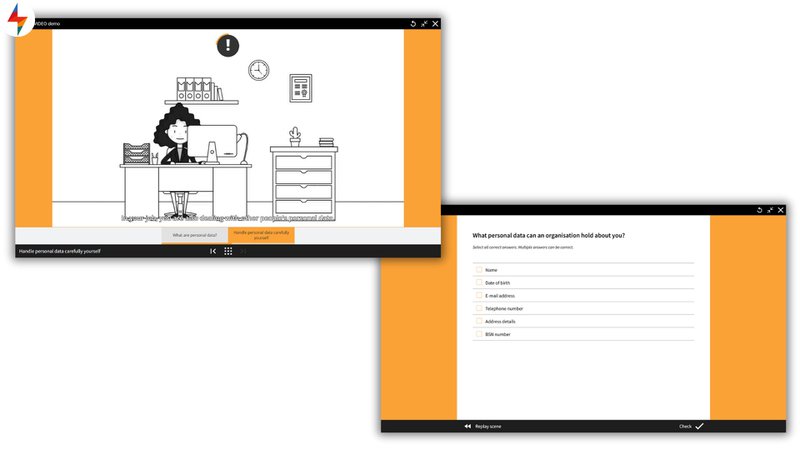
Instead of playing a plain video, add elements like questions, clickable hotspots or pauses where learners need to take action. This keeps them from watching passively and encourages engagement.
Example: SMARTVIDEO. Easily add questions or hotspots to your video to keep learners active and focused.
2. Use interactive images
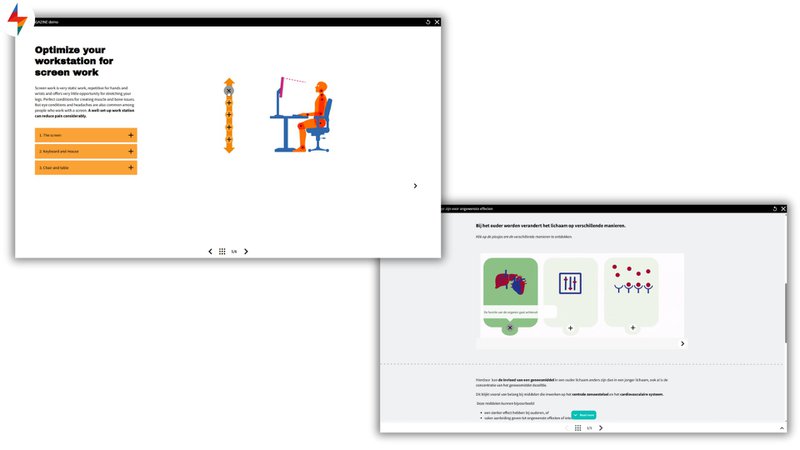
Images can be more than static visuals. By adding clickable hotspots, you let learners explore and discover extra information step by step.
Example: SMARTMAGAZINE. Let learners click on different parts of an image to reveal extra explanations, examples, or context.
3. Ask reflective questions
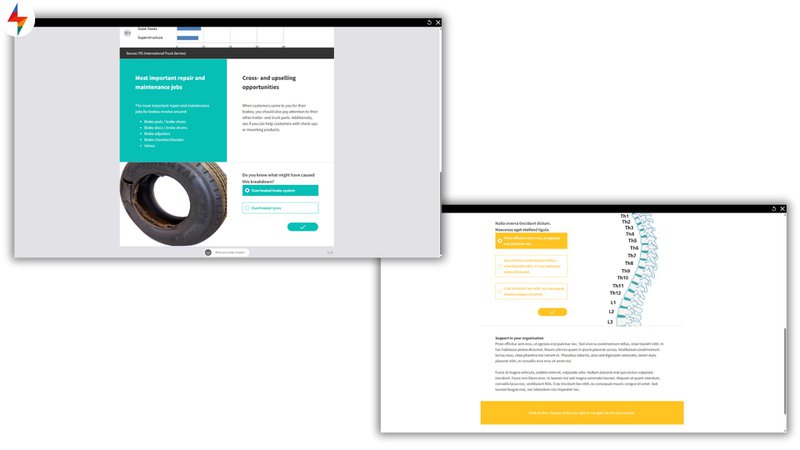
Prompting learners to reflect helps them process and internalize the content. You can do this by adding short reflection questions at the end of a section or page.
Example: SMARTPAGES. Add questions that challenge learners to think about their own experiences or apply what they’ve learned.
4. Include short exercises
Short exercises are a great way to test understanding and keep learners actively involved. Immediate feedback helps them learn from their mistakes.
Example: ONTHESPOT. After each key topic, offer a quick interactive check-in where learners can test what they've picked up so far.

5. Offer multiple learning paths
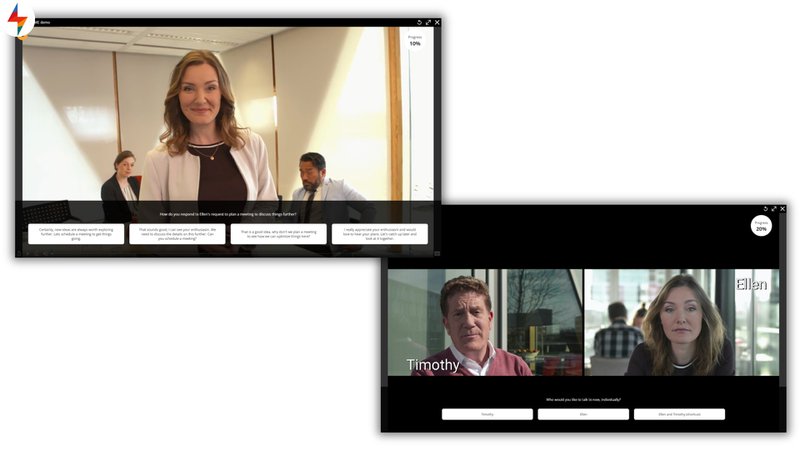
Giving learners different paths or outcomes makes content more relevant and personal. They immediately see the result of their decisions and learn from both right and wrong turns.
Example: SMARTGAME. Let learners choose answers that lead to different storylines or outcomes, helping them explore consequences in a safe way.
6. Use drag-and-drop interactions
Drag-and-drop exercises are perfect for helping learners visualize connections between concepts. They make abstract theory more concrete.
Example: SMARTTEST. Let learners drag steps into the right order, or match terms with their definitions, to help them build understanding in a hands-on way.

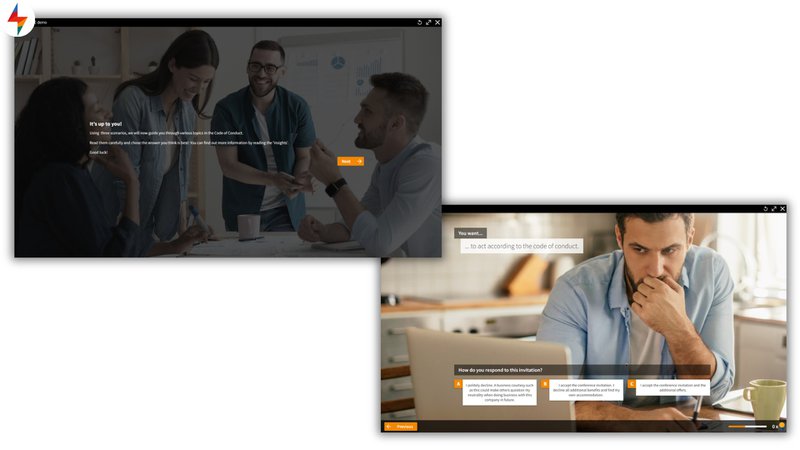
7. Add simulations
Simulations place learners in realistic situations where they need to make decisions. This makes learning more practical and prepares them for real-life challenges. Research backs this up.
Example: STORYWISE. Put learners into a scenario where they need to make choices, such as handling a client complaint or solving a technical issue.
8. Show learner progress
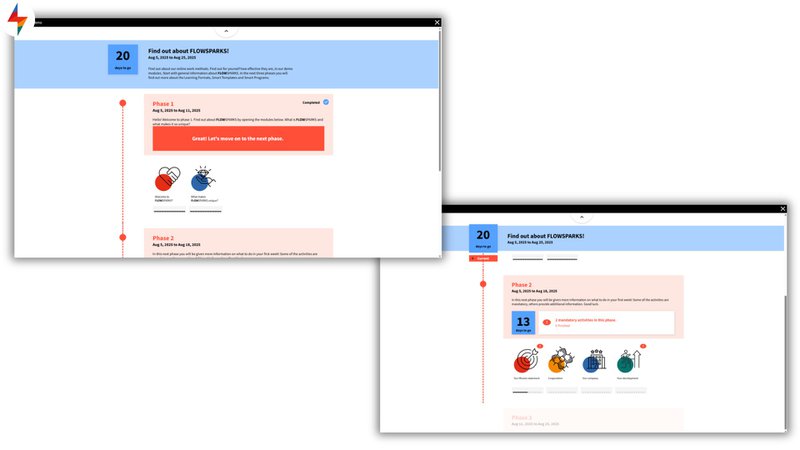
Progress indicators can be very motivating. When learners see how far they’ve come - and how much is left - they’re more likely to keep going.
Example: ROADMAP. Guide learners through a structured journey, combining e-learning and classroom sessions. Ideal for onboarding paths where learners want to track their progress.
9. Integrate gamification
Gamification increases engagement. Add points, badges, or leaderboards to make learning more fun and encourage healthy competition.
Example: THEMEPAGE. Use a built-in point system to boost extrinsic motivation and get learners excited about completing challenges.

10. Use time limits
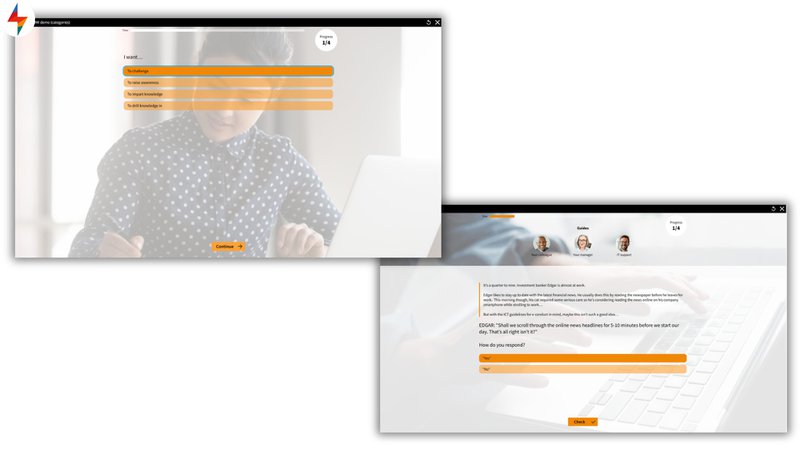
Adding a time limit to exercises or quizzes creates urgency. This pushes learners to focus and decide quickly, just like in real life.
Example: DECIDENOW . Challenge learners to make quick decisions during a critical moment in a scenario.
What are the best tools to create interactive training with?
Choosing an authoring tool can feel like picking a playlist for a mixed crowd—everyone wants something slightly different. Below are three solid options I can recommend. They all support interactivity, but they shine in different scenarios. If your goal is to scale interactive learning across teams, languages, and LMSs, FLOWSPARKS is, in my opinion, definitely the front-runner.
Want the full market view? Check out our top 10 interactive training tools in this in-depth roundup. https://www.flowsparks.com/resources/interactive-elearning
1. FLOWSPARKS
Built for organizations that want to produce interactive e-learning at scale—without specialist design skills. Instead of blank slides, you work with didactic learning formats (for scenarios, guided exploration, decision points, etc.) grounded in learning science. AI helps you draft from your own source files and enriches content with strong visuals, while updates and translations are handled efficiently so you can publish fast and keep everything in sync.
✅ Advantages
- Smart templates based on didactic principles to enable knowledge transfer, contextual learning, self-assessments, and more.
- Real-time updates pushed to any connected LMS.
- Multilingual course creation without managing duplicate copies.
- Instant translations through DeepL, Google Translate, RWS Trados, and more.
- AI support to generate e-learning drafts from your own source files, enriched with high-quality images.
❌ Disadvantages
- Steeper learning curve—you really get up to speed by building a full course.
- Template flexibility is limited due to the embedded instructional design.
- Better suited to larger organizations than very small teams.

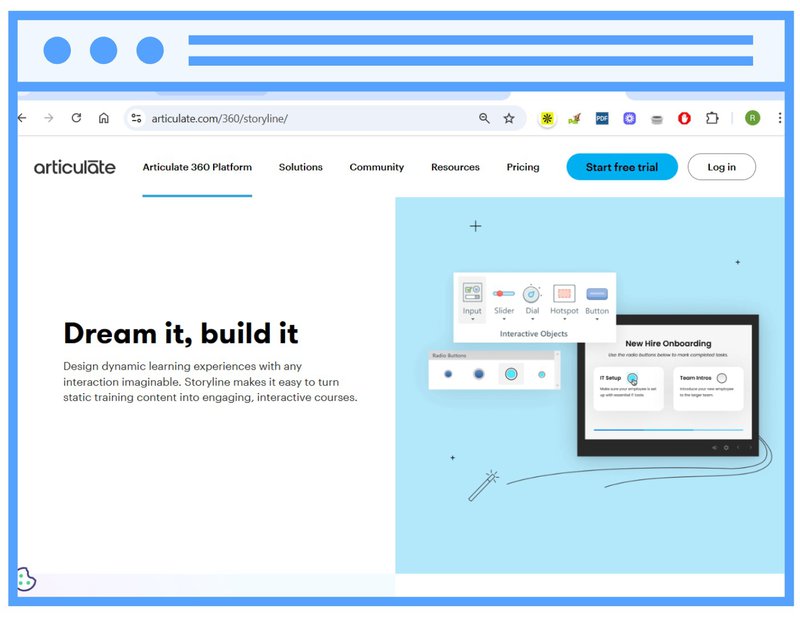
2. Articulate Storyline
A powerful desktop tool for richly interactive courses. If you need full creative control—complex branching, custom drag-and-drops, highly tailored simulations—Storyline delivers. The trade-off is time: that freedom often means a steeper learning curve and slower iteration.
✅ Advantages
- Advanced interactivity with near-total design freedom.
- Excellent for simulations and decision-based learning.
- Large community, tutorials, and shared resources.
❌ Considerations
- Steep learning curve, particularly for newcomers.
- Updating and maintaining content can be time-consuming.
- Not ideal for rapid iterations or non-specialist authors.
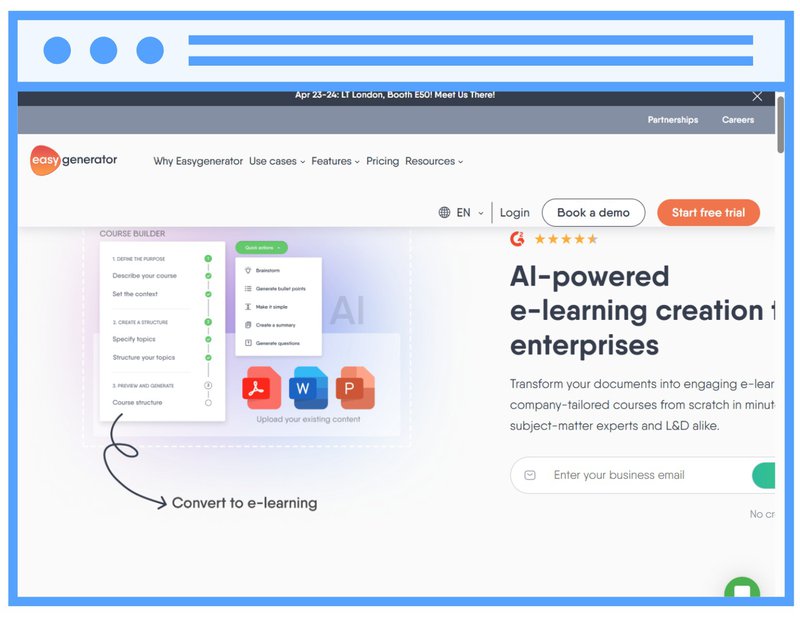
3. Easygenerator
A user-friendly choice aimed at speed. Subject-matter experts can spin up straightforward courses with basic interactivity—quizzes, simple branching, and drag-and-drop—right in the cloud. Great for quick internal rollouts, less so for complex experiences.
✅ Advantages
- Clean, no-frills interface that suits non-designers.
- Fast to update and publish simple courses.
- Built-in cloud collaboration for teams.
❌ Considerations
- Limited interactive depth and variation.
- Constrained customization and design options.
- Not built for complex or multilingual programs at scale.
Bottom line
If you want to produce interactive training quickly with SMEs and keep it scalable—real-time LMS updates, instant translations, and AI-assisted authoring—choose FLOWSPARKS. Opt for Articulate Storyline when you need maximum creative control and have specialist capacity and time. Consider Easygenerator for micro teams creating straightforward courses with basic interactivity and limited complexity.
How to make e-learning interactive with FLOWSPARKS
An interactive e-learning course doesn’t start with design. It starts with this question: What should your learners be able to do, know, or understand by the end? Once the learning goal is clear, you can choose the right form.
With FLOWSPARKS, you’re not just working with templates, you’re working with learning formats that are built on didactic logic. You’re not picking “something fun”, but “something that fits”.
Step by step:
1. Define your learning goal
What should learners know, understand, or apply by the end? Be specific.
2. Know your audience
Who are your learners? What do they already know? Where and how will they learn — at a desk, on the shop floor, on the go?
3. Choose the right format
Match the format to your goal: a video with questions (e.g. SMARTVIDEO), a step-by-step practice task (e.g. TASKSTEPS), or decision-based scenarios (e.g. STORYWISE).
4. Add real context
Use examples or situations from daily work. That way, the content doesn’t stay abstract.
5. Provide variety and repetition
Use different formats and return to key ideas to reinforce learning.
6. Work efficiently, especially for large groups
FLOWSPARKS makes it easy to add translations or use AI to adapt text. That’s a huge plus when you’re working with multilingual or large-scale audiences.
When you build your course this way, you’re not just adding interactivity: you’re creating learning that works for the people who need it.
3 examples of interactive e-learning in practice
1. Motivating learners in social workplaces – Groep Maatwerk
For employees in sheltered workplaces, staying focused in a digital environment can be challenging. That’s why Groep Maatwerk chose variety, relevance, and fun. They used photos and videos from their own workspaces to make content instantly recognizable.
With interactive formats like quizzes, choices, and game elements, learners were constantly invited to participate. The focus wasn’t just on knowledge transfer, but on motivation. Because learning should be enjoyable. By connecting content to real-life work situations, learners became truly engaged.
2. Encouraging self-directed learning – Soudal
Soudal moved away from static PowerPoints and developed interactive modules. Using FLOWSPARKS, they blended their own e-learning with GoodHabitz content and classroom sessions. This created a blended program tailored to both sales and production staff.
Short, targeted modules worked well for busy shifts, while salespeople received product training at their own pace. Interactivity came from scenarios, quizzes and strong visuals, making content more appealing and easier to remember.
3. Making technical knowledge accessible – Recticel
Recticel created short, varied modules for technical staff with different backgrounds. Through FLASHCARDS, SMARTPAGES and quizzes, learners received the theory in manageable chunks.
They then explored realistic scenarios through DECIDENOW and ONTHESPOT. Each module included time indicators, so learners knew how long things would take, and could pause anytime.
Even the final test was interactive: wrong answers triggered instant feedback. Learners praised the pace, variety and structure, and Recticel decided to keep building more modules.
Looking for more inspiration from other industries? Check out the FLOWSPARKS customer stories.
My experience with FLOWSPARKS
What I appreciate most about FLOWSPARKS is how it helps me, as a coach, to guide clients toward the core of what they want to communicate. Often, they have a sense of the content, but not how to turn it into something interactive and digestible.
Thanks to the clear structure and wide range of formats, I can quickly show them what works. It feels like the tool thinks along with you: it invites reflection on learning goals and encourages variation.
For me, that’s the difference between “creating a course” and “creating a learning experience that sticks.”
FAQ
1. How do you make e-learning interactive?
By involving learners actively. Use questions, scenarios, interactive videos, or images with hotspots. Let people engage with the content - by choosing, dragging, reflecting - instead of just reading or watching. That’s what makes learning more engaging and effective.
2. What are interactive learning tools?
These are tools that allow learners to actively engage with the material. Think: quizzes, simulations, drag-and-drop activities, decision-making scenarios, or clickable visuals. They help make learning more hands-on, relevant, and easier to apply in real life.
3. What are the best tools for interactive e-learning?
The best tools for interactive e-learning depend on your needs. FLOWSPARKS is ideal for scalable, didactic formats with AI support. Articulate Storyline offers full creative control for complex courses, while Easygenerator is best for quick, user-friendly training creation.
.avif)
Are you looking to step up your digital training efforts
inside your organization?
Schedule a demo and discover how FLOWSPARKS helps create and deliver engaging e-Learning experiences backed by strong instructional design principles in multiple languages without a hassle.
More interesting reads
.avif)
Best learning management systems in 2026: a practical guide to choosing the right one
Top 10 e-Learning authoring tools in 2026 (ranked for real behavior change)