The Easygenerator alternative for training that meets every learning need.
With FLOWSPARKS, every Learning Recipe offers a different learning experience, designed for a specific learning need and built on proven instructional design. Combine Recipes into Learning Journeys for different teams and languages, and manage everything in one place.
Trusted by L&D teams at



AI made it easier than ever to create great-looking courses. The real challenge is meeting different learning needs.
How FLOWSPARKS helps L&D go from course creator to learning enabler to strategic business partner.
10,000+ training hours saved per year. Scrap rate dropped from 5% to under 1%. Full worker efficiency on a €10M machine in just seven months.

9,000 people reached through new training initiatives launched in a couple of weeks. Subject matter experts across 700 stores now build their own training without instructional design expertise.
Onboarding sessions doubled. Incidents and audit findings dropped by an estimated 40–50%, which Mediq attributes to more effective knowledge transfer.

3 reasons L&D teams choose FLOWSPARKS.
Same goal. Different approach. See how FLOWSPARKS and Easygenerator compare.
 | ||
Built for | L&D teams and SMEs in organizations that train different audiences, from frontline employees to customers and partners, across multiple languages and LMSs. | Anyone in the business who needs to share knowledge fast (from first-time authors to experienced L&D teams). |
Set-up | Cloud | Cloud |
Onboarding to first course | A bit more to learn at first. Customer Success coaches guide your team through onboarding. | Designed so anyone can start creating courses as soon as they sign up. |
Pre-built courses and example | ||
Template approach | 30+ Learning Recipes with instructional design baked in: clear objectives, hands-on practice, and knowledge checks already in place. Authors have full freedom over content, tone, and visuals. The instructional structure is fixed by design to guarantee learning quality every time. | Topic-based course starters (onboarding, compliance, soft skills); well-structured starting points for common training needs; authors have the freedom to deconstruct the structure as they build; didactic guidance comes from AI suggestions during authoring, not from the template itself. |
Asset library | ||
Secure embedding of external content | ||
Where interaction quality comes from | Ready-made Recipes for every interaction type: knowledge checks that force recall, scenario-based exercises that require real judgment, reflective moments that connect content to day-to-day work and more. Use the AI support to get inspired by new ideas. | Built by the author, with AI support. Choose interaction types such as flip cards, hotspots, walkthroughs and scenarios, or let AI suggest a format. EasyCoach (add-on) adds AI roleplay for practicing conversations. |
Assessments | ||
Content reviews & collaboration | ||
How translations are structured | Translations exist as layers inside a single course file. No separate versions, no parent-child structure. Translate with one click. One SCORM package covers every language you publish. | All language versions are managed from one master course. Every language is published in one multilingual SCORM or xAPI file. |
Auto-translations | ||
Learner experience after updates | Progress and completions fully preserved, no interruption to the learner experience. | Learner progress is preserved when a course is updated through Dynamic SCORM (Team and Enterprise plans only). |
Translation workflow integration | Direct integrations with DeepL, Google Translate, Language Weaver and RWS Trados: translated content comes back into FLOWSPARKS formatted and ready for local review. | EasyTranslate (add-on): auto-translation into 75 languages, with a custom glossary and in-context review. |
How updates reach the LMS | Remote SCORM, included in every plan: save a change in FLOWSPARKS and it reaches learners in supported setups, without re-exporting or re-uploading packages. | Team and Enterprise plans: Dynamic SCORM updates a published course without re-exporting or re-uploading the file. Pro plan: updated courses are re-exported and re-uploaded to the LMS manually. |
Publishing formats | Remote SCORM, LTI, HTML link (whitelist possible), Word handout. | SCORM, xAPI, shareable link, native LMS integrations (Enterprise). |
Built-in LMS for distribution without a third-party platform | ||
AI Support | ||
What AI generates | Full interactive e-Learning draft from source files, with instructional design baked in and rich interaction and images. Use direct integration partners to integrate AI avatars into your storyline. | Full course draft from documents: structure, text, questions and visuals. EasyVideo (add-on) turns PowerPoints into training videos with AI avatars. |
Text to speech | ||
How branding is enforced | Brand settings are centrally configured and apply to every course built by every author across the platform; advanced design, colors, buttons all locked from the center. Multiple brands managed in one account. | Centrally created brand themes shared with all authors. One brand theme on Team plan, multiple on Enterprise plan. |
Responsive and adaptive designs | ||
How is instructional quality supported | Structurally: the learning recipe forces correct instructional design structure regardless of who builds the course. | Through AI guidance: EasyAI suggests objectives, outlines and assessments, and the EasyAI agent applies the organization’s guidelines as authors build. |
Publishing permissions to control what SMEs can release | ||
Analytics and learner reporting | ||
Accessibility | ||
ISO 27001 certified | ||
GDPR compliant | ||
How support is delivered | Dedicated Customer Success Coaches proactively guide your team from strategy to execution. Every plan includes phone, email support and online resources - all delivered by e-Learning specialists who know your field. | Live chat support, help center and onboarding. Dedicated success manager: limited on Team, full on Enterprise, plus on-demand training on Enterprise. |
* Based on product testing and publicly available information as of November 2026
Why choose FLOWSPARKS?
For over 30 years, companies have hired us to build their training. And we kept running into the same problem. Courses that worked well at first got harder to manage with every new language, team and LMS. FLOWSPARKS is what we built to fix that. It has our instructional design experience built in, and it lets you scale your training without multiplying the work.
Good training, no matter who makes it.
Creating courses is easy. Creating training that meets different learning needs takes more thought. FLOWSPARKS Learning Recipes give every author ready-to-use learning activities, each built around a specific learning need and grounded in proven instructional design. This helps anyone create effective training, even without an instructional design background.
Choose from 30+ Recipes with clear learning objectives, hands-on practice, and knowledge checks. Use quizzes, real-world scenarios, and reflection exercises to help learners retain and apply what they learn.

"Now we get more results from our training. People understand our content better because it’s tailored to their needs and only provides what they need to know. They recognize it because it’s the language of Natra. They pick it up faster than generic training."


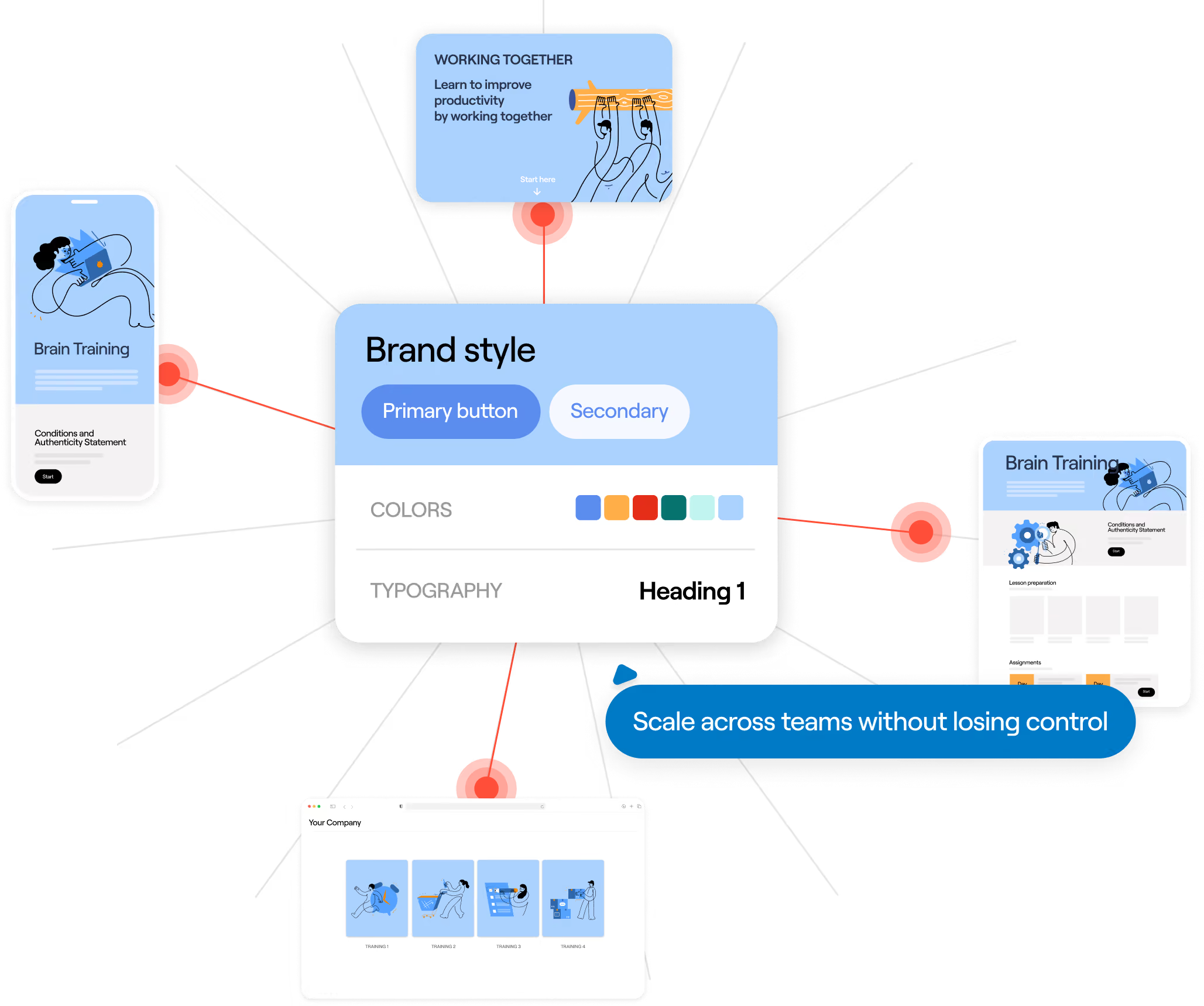
Consistent training across every team, every location, every brand.
When multiple teams create training independently, quality can quickly become unpredictable. FLOWSPARKS gives everyone the guidance and tools to follow the same standards.
Set up each brand with its own fonts, colors, and buttons. Use Learning Recipes to guide authors through proven instructional design. Let local teams adapt content for their audiences while keeping the same brand identity and instructional quality across every version.

"We provide our trainers with Learning Recipes they can use in corporate branding, which is important for any large company. Today, we have more than 100 centrally offered e-Learnings, and with this user-generated content initiative, the SMEs created about 60–70 trainings themselves in one year."

Localize your training without the extra work.
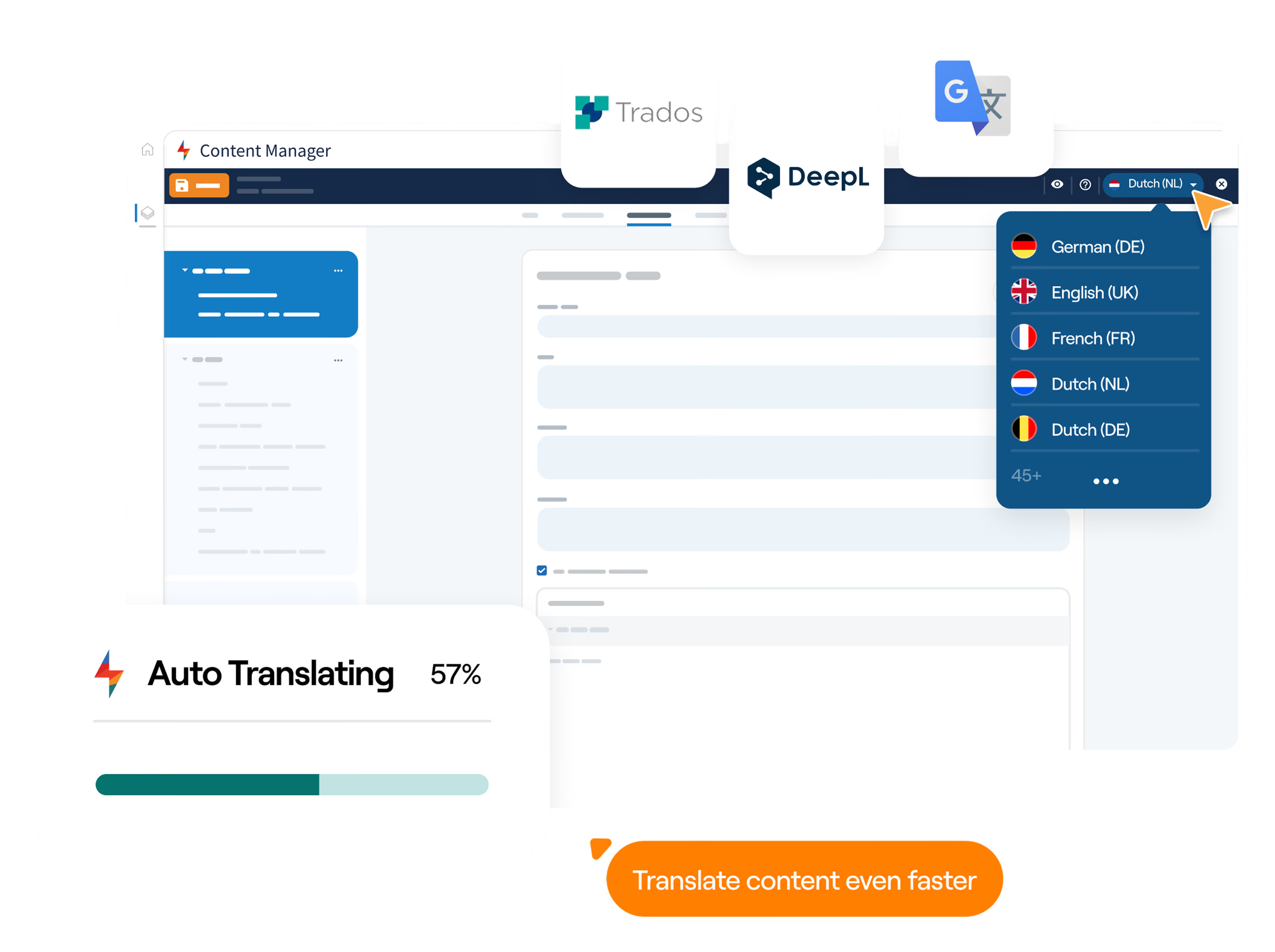
Connect DeepL, Google Translate, Language Weaver, or RWS Trados to (auto) translate courses directly in FLOWSPARKS. Cut translation work, launch multilingual training faster, and let local teams review translations and adapt images and examples. Layouts adjust automatically, and connected language versions make it easier to keep training up to date across every location.
One SCORM-compliant package includes every language, with course completion tracked in one place. Learners can switch languages without losing progress.

“FLOWSPARKS gives me the flexibility to tailor the content per country - it’s a huge time-saver when you have to work in multiple languages and processes.”

You won't have to figure it out alone.
At FLOWSPARKS, every customer works with Customer Success Coaches who help authors get started, choose the right Learning Recipes, and set up effective ways to create training across the organization. Drawing on their hands-on experience with other organizations, they help your team create better training and keep improving over time.
"It’s not just the tool, but the personalized support we get. FLOWSPARKS really offers e-Learning as a service."

Making the shift from Easygenerator to FLOWSPARKS, or combining both.
You don't have to switch everything at once. Keep using Easygenerator where it works well, and bring in FLOWSPARKS for training where one format doesn’t fit every need: onboarding that mixes practice and reflection for each department, compliance training where people have to make real decisions, or product training tailored to each role and market.
Want to keep using your existing Easygenerator courses? Add them to your Learning Journeys alongside new courses built with FLOWSPARKS.

Frequently Asked Questions
Both tools help people without an instructional design background create training. Easygenerator guides authors with a Learning Objective Maker, a default course structure and AI suggestions. In FLOWSPARKS, the instructional design is part of the Learning Recipe itself: the structure, interactions, and learning moments are in place before an author adds a single word. A subject matter expert building their first module starts from the same standard as a seasoned L&D professional.
You then combine Learning Recipes into learning journeys for each team, role, country or brand, with every language as a layer inside the same course. And central L&D stays on top of it all: brand settings managed in one place for every author, publishing permissions to decide what goes live, and integrations with DeepL, Google Translate, Language Weaver and RWS Trados, so translations come back formatted and ready for local review.
A little, at first. Easygenerator is designed to get anyone publishing quickly with minimal onboarding. FLOWSPARKS gives authors more to choose from, with 30+ Learning Recipes and a wide range of interaction types, so there’s a bit more to explore at the start. Every recipe has proven instructional design built in, so authors of any experience level start from the same structure. And Customer Success coaches, who are learning experts, guide your team from the start.
Yes. You can import your existing Easygenerator courses into FLOWSPARKS and keep delivering them. They stay as they are and can’t be edited in FLOWSPARKS, but you can use them as learning activities in your Learning Journeys alongside new training built with Learning Recipes.
You don’t have to move everything at once. Run both tools side by side and move one program at a time. Customer Success coaches help you plan the move at a pace that works for your organization.