Cutting through the clutter: how to choose the right e-Learning application
Choosing the right e learning application can be overwhelming. This guide breaks down the main types, key features, and top tools—so you can build a digital learning ecosystem that’s scalable, smart, and aligned with your organization’s real needs.

e-Learning developer & Customer Success Coach at FLOWSPARKS
In the world of digital learning, choosing the right e learning application can feel overwhelming. The market is crowded with platforms, tools and apps, each promising to make training even faster, smarter or more engaging. But how do you cut through the clutter and choose what really works for your organization?
At FLOWSPARKS, we’ve helped countless organizations design and deliver effective digital learning experiences. We see first-hand how using the right tools can transform learning—and how others can add unnecessary complexity and cost. So, we are here to help: to guide you through the jungle of e‑learning applications, share what really matters when evaluating them, and help you make choices that fit your learners’ needs, your content and your goals.
Read on to explore the key categories of e‑learning tools, what to look out for, and how to build a learning ecosystem that truly works.

What is an e learning application (tool)?
An e learning application – or e‑learning tool – is software used to create, manage, or deliver digital learning experiences. This includes tools for building your own training (authoring tools), systems to distribute and track learning content (like an LMS or LXP), or ready‑made solutions you can deploy immediately (off the shelf content).
In short, e‑learning applications help organizations design, organize, and share digital learning in a way that makes knowledge transfer smarter, faster, and more scalable.
Why use e learning applications instead of just PowerPoints, videos or excel for content creation?
While PowerPoint slides, videos or spreadsheets can present information, they leave learners in a passive role: reading or watching rather than applying and understanding.
E‑learning applications make learning far more effective by turning content into interactive experiences — using quizzes, scenarios, or branching pathways that adapt to the learner’s needs. This interactivity doesn’t just keep learners engaged; it helps them understand and practice with the theory and apply what they’ve learned. This enhances the transfer of knowledge to practical application and transforms static content into dynamic, learner‑centered education—an approach also supported by research from the U.S. Department of Education on the effectiveness of online learning.
Beyond engagement and learning impact, e‑learning tools also bring clear organizational benefits. They offer trackability, so you can measure participation, progress and results—something you can’t do reliably with static slides or handouts. And crucially, they’re scalable and cost‑effective: instead of repeating the same face‑to‑face session for different teams or locations, digital training can be delivered anytime, anywhere, to any number of learners—without extra instructor time or travel costs.
The result? More flexible, consistent, and data‑driven learning that grows with your organization’s needs.
What are different types of e learning application (tools)?
When we talk about e‑learning applications, we’re really talking about different tools that each play a unique role in creating, managing or delivering learning. Here’s a quick overview of the main categories:
Authoring tools
These are tools that help you create digital learning content yourself—typically without needing to code. From simple quizzes to complex scenario‑based modules, authoring tools make it possible to turn your knowledge into engaging, interactive training materials that look professional and are easy to update. Their benefits are also backed by science—according to a systematic review on online learning engagement, interactive and well-structured content plays a key role in boosting learner motivation, satisfaction, and performance.
LMS (Learning Management System)
These systems help you organise, distribute, track and manage learning. An LMS is great for assigning courses, tracking completion and producing reports.
LXP (Learning Experience Platform)
An LXP takes it further by focusing on the learner experience, often recommending content based on interests or role, encouraging social learning and offering more personalised learning journeys.
Off‑the‑shelf content
Not everything has to be built from scratch. Off‑the‑shelf solutions are ready‑made e‑learning modules on common topics like compliance, soft skills or health and safety. They save time and budget, so you can cover essential topics quickly while still maintaining a baseline of quality and consistency.
LCMS (Learning Content Management System)
An LCMS combines elements of an LMS with an advanced authoring tool. It helps organisations create, store, organise and reuse learning assets—like videos, slides or text blocks—so you can easily update content and keep it consistent across multiple courses or languages. Especially useful for larger organisations or teams producing content at scale.
Pro-tip! Instead of juggling multiple tools, you can bring it all together! A tool like FLOWSPARKS for example, combines an advanced authoring tool and a light LMS into one easy-to-use platform:
⚡SMEs can build their own digital training using ready-made didactic templates
⚡Content is consistent, on-brand, and didactically sound
⚡Everything is published, tracked, and reported in one environment
⚡Even if you already have an LMS, it's perfect for reaching employees who are often left out, such as blue-collar workers or external contractors—everyone follows the same e-learning, just through different platforms.
How do e learning applications work?
Desktop, web and mobile explained
Beyond what they do, e‑learning applications also differ in how you access them—and this matters for both creators and learners.
✅ Desktop and web applications
Many authoring tools, LMSs and LCMSs today are offered as cloud‑based web applications. You open them in your browser, so you don’t need to install anything. This means you can work or learn from any computer with internet access. Some authoring tools still exist as desktop applications that you install locally on your computer. Desktop tools can be faster for heavy multimedia editing or when you don’t always have a reliable internet connection, but they usually require manual updates and can make collaboration harder.
✅ Mobile applications
A growing number of LMS/LXP platforms and even authoring tools now offer mobile apps (for iOS or Android). These make it possible for learners to access training anytime, anywhere—even offline. Mobile learning is especially useful for field teams, retail staff or anyone who isn’t always behind a desk. It can also make learning feel more flexible and part of daily life, rather than something you only do at your workstation.
In reality, most modern e‑learning ecosystems combine these approaches: web apps for designing and managing content, desktop tools for advanced editing, and mobile apps to deliver content seamlessly to learners wherever they are.
How to choose the right e learning application: start from your needs
Every organization’s learning strategy starts with its unique context and challenges. Here are a few typical situations, and why they might lead you to explore certain e learning tools:
✅ Fast growth & need for standardisation
When an organization is scaling quickly—hiring new teams, opening new locations or expanding internationally—it often needs to ensure everyone learns the same way, no matter where they are. A Learning Management System (LMS) can help roll out standardised onboarding and compliance training efficiently, while an authoring tool lets you quickly create or adapt training to new markets, roles and languages.
✅ Working with many external contractors or partners
If your workforce includes freelancers, resellers or external partners, you’ll need flexible tools to offer training outside your internal systems. An LMS or LXP that supports external user management, guest accounts or secure portals can be essential here—helping you deliver training without giving access to your entire internal IT environment.
✅ Knowledge locked in subject matter experts
Organizations often have experienced people whose knowledge isn’t yet captured in digital form. An intuitive authoring tool with didactic templates makes it easier for trainers, HR or even the experts (SME’s) themselves to turn that know-how into engaging, structured e-Learning. Paired with an LCMS, you can then manage and reuse that content efficiently.
✅ Diverse teams across countries and languages
Multilingual support, localised content management and flexible content reuse are key if you operate in several countries or regions. Here, an LCMS can help centralize content while making it easier to adapt for local markets, and a multilingual LMS or LXP ensures everyone has access to training in their own language. Research shows that offering learning in the user’s native language significantly increases engagement and course completion rates (Moodle, 2022).
What to look for: top features by e learning application type
Once you know your needs, look closely at what each type of tool offers. Here are 4–5 must-check features for each tool/application:
Authoring tools
- Ease of use (does it support non-technical users?)
- Didactic templates & interactive elements (quizzes, branching, scenarios)
- Responsive design for mobile and desktop
- Multilingual content & easy content maintanance
- Integration with your LMS (e.g. SCORM, LTI, xAPI compatibility)
LMS / LXP
- Scalability (can it handle hundreds or thousands of users?)
- User management & roles (including external learners)
- Reporting & analytics to track completion and engagement
- Personalisation & recommendations (especially for LXPs)
- Multilingual interface and support
Off the shelf content
- Content quality & credibility (who developed it?)
- Relevance to your learners’ roles and industry
- Ease of integration into your LMS/LXP
- Regular updates to stay compliant and current
- Customization options (can you add your own branding or adapt examples?)
LCMS
- Centralised content storage & version control
- Support for modular content reuse (e.g., share blocks across courses)
- Multilingual content management & translation workflows
- Collaboration tools for multiple authors or reviewers
- Integration with LMSs or other delivery platforms
In short: start by clarifying who you need to train, what knowledge you want to capture and share, and how your organization is likely to change or grow. From there, these feature checklists can help you pick the right mix of tools that keeps your learning scalable, engaging and future proof.
Top tools: our recommended platforms for every e‑learning need
With so many e‑learning applications out there, it can be hard to know where to start. The right e learning application can simplify everything—from content creation to delivery—if chosen with your specific needs in mind. That’s why we’ve highlighted a few standout tools in each category—from authoring to delivery and beyond.
This is just a snapshot.If you’re looking for a more in-depth comparison (think 30+ tools across every category), check out this full guide on online education software—a comprehensive article packed with insights and worth the read if you’re exploring your options more seriously.
🌟 Overall top pick: FLOWSPARKS
For organizations that want to scale eLearning without technical barriers, FLOWSPARKS offers more than just an authoring tool—it’s a complete ecosystem backed by a team of experts. Its smart templates and interactive formats let you create rich, didactically sound content that goes beyond basic slide decks. And with built-in translation workflows and real-time LMS updates, managing multilingual training has never been easier.
Why it stands out:
- Enables content variety through interactive learning formats and didactic templates
- Real-time updates to any LMS via Remote SCORM
- Translates courses instantly without creating duplicate versions
- AI-assisted authoring from your source files, enhanced with relevant visuals
- Backed by a team of learning experts to support your success
FLOWSPARKS is ideal for large or fast-growing organizations that need to deliver high-quality learning consistently across languages, teams, and regions—without drowning in content maintenance.
Best authoring tools
For teams that want to create e-learning modules without coding.
- FLOWSPARKS – Combines smart didactic templates, AI-powered content creation, and instant multilingual translation with real-time LMS updates—perfect for building interactive, scalable eLearning up to six times faster, without technical hassle.
- Articulate Storyline – Powerful for creating interactive slides with triggers and variables, though it requires more time and expertise to master.
- Adobe Captivate – Suited for advanced interactivity and simulations, but slower to scale and harder to use without technical experience.
Best Learning Management Systems (LMS)
To distribute, manage, and track digital learning content at scale.
- Docebo – AI-driven personalization, sleek interface, and strong enterprise-level capabilities.
- Absorb LMS – Clean UI and robust tracking features, ideal for compliance and corporate learning.
- TalentLMS – Easy to set up and use, perfect for smaller teams or those just getting started.
Best Learning Experience Platforms (LXP)
To personalize learning and encourage ongoing development.
- 360Learning – Combines LMS features with collaborative, peer-driven content creation.
- Degreed – Aggregates internal and external content, focusing on skill-building and mobility.
- Cornerstone LXP – Offers AI-driven, skills-based learning paths with strong integration and personalization.
Best off-the-shelf content providers
When you need ready-to-use, high-quality content fast.
- GoodHabitz – Engaging soft skill and leadership courses in 20+ languages, with vibrant design and seamless LMS integration.
- LinkedIn Learning – Extensive library of courses across soft skills, tech, and business topics with personalisation options.
- OpenSesame – Large multilingual catalog across compliance, safety, and professional development—easy to plug into your LMS.
Best LCMS (Learning Content Management Systems)
For teams that need to manage large content libraries with translation and reuse capabilities.
- dominKnow | ONE – Built for structured content reuse, workflow efficiency, and collaborative editing.
- SC Training (EdApp) – AI-supported course creation with multilingual features and modern UX.
- Moodle + H5P – A flexible open-source combination offering powerful customization and interactive content.
By combining the right tools—from authoring to delivery and content reuse—you can build a future-proof learning ecosystem that supports your organization’s growth and learning culture. Use this list as your starting point—and tailor your selection to your audience, content type, and long-term goals.
Typical use cases for e‑learning in organizations
✅ Onboarding
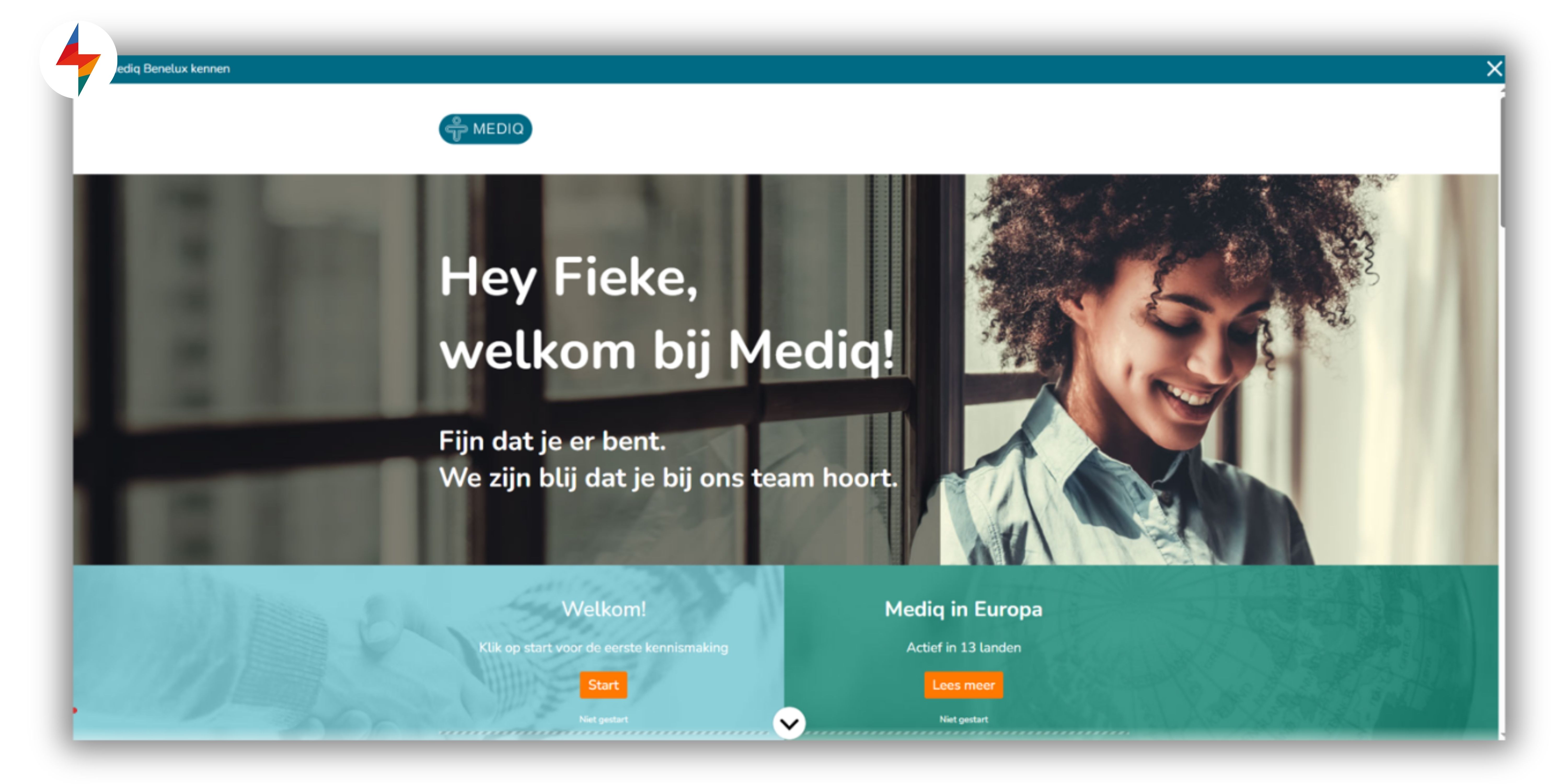
Digital onboarding helps new employees quickly understand the company, culture, policies and tools — even before day one. An e learning application makes it easy to deliver onboarding at scale, tailored to different roles and locations. It solves the challenge of delivering consistent training across locations, and—backed by research showing improved engagement and faster productivity for new hires—speeds up time-to-productivity without overloading HR or managers.
✅ Compliance training
Covers mandatory topics like data privacy, workplace safety or industry regulations. E‑learning ensures everyone gets the same up‑to‑date information, tracks completions for audits, and—according to research published in the South African Journal of Human Resource Management—can significantly improve compliance training outcomes while reducing cost and administrative overhead

✅ Software training
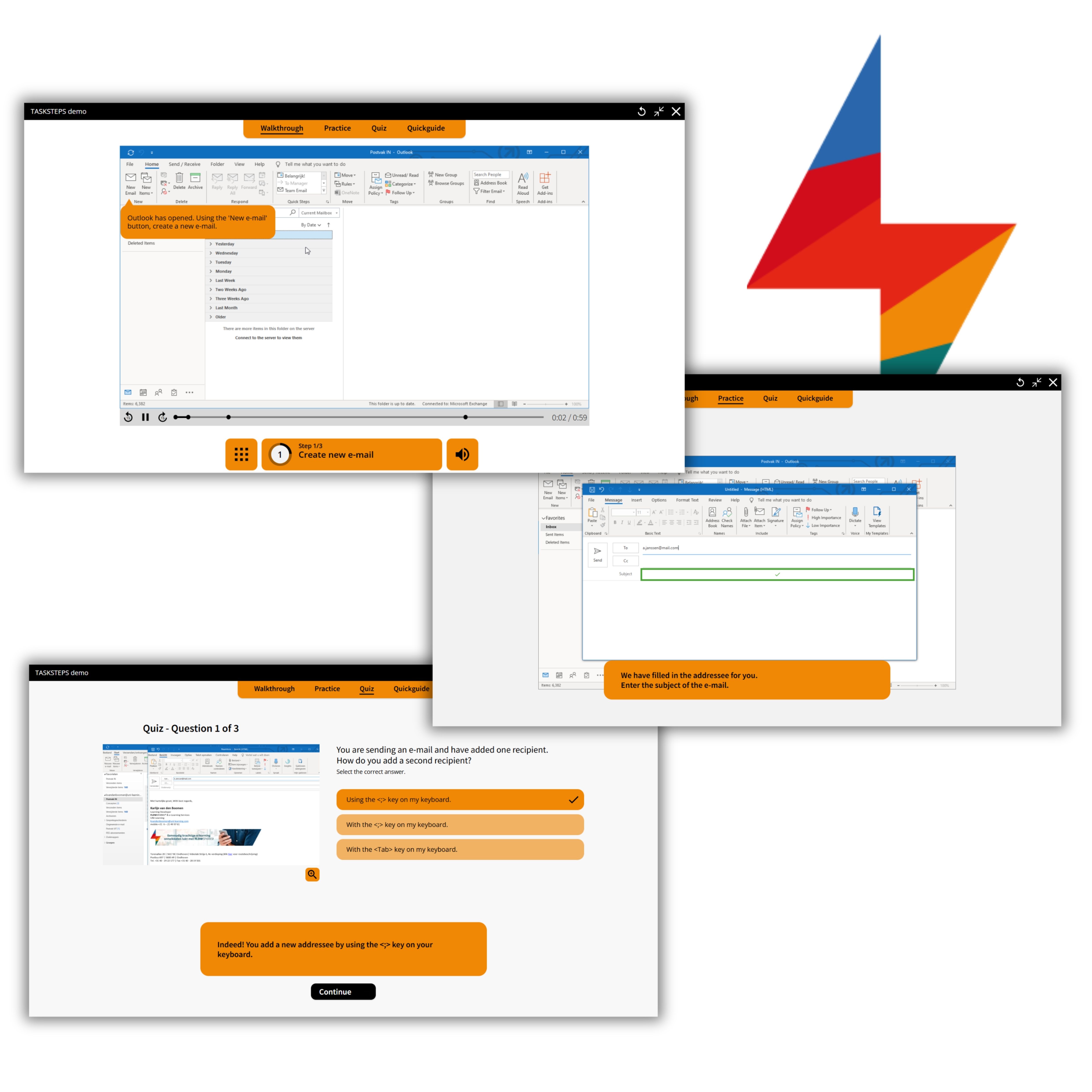
Guides employees through the use of internal systems, tools or new software releases. It solves the challenge of limited trainer capacity and supports employees at their own pace — especially important during system roll‑outs or updates. Research supports these benefits: studies show that web‑based software training can be just as effective as instructor-led sessions for practical skills and applications (IEEE Transactions on Professional Communication). Beyond engagement and learning impact, e‑learning tools also bring clear organizational advantages.
✅ Product training
Keeps sales teams, customer support and partners informed about features, benefits and use cases of new or existing products. Helps solve the challenge of inconsistent knowledge, especially in fast‑changing markets or large product portfolios. Read here how Delhaize used FLOWSPARKS to overcome this challenge.
✅ Sales enablement
Combines product knowledge with skills training (like objection handling, storytelling or negotiation). E‑learning modules, scenarios and simulations help sales teams practice in a risk‑free environment, improving confidence and performance in real conversations.

.avif)
Are you looking to step up your digital training efforts
inside your organization?
Schedule a demo and discover how FLOWSPARKS helps create and deliver engaging e-Learning experiences backed by strong instructional design principles in multiple languages without a hassle.
More interesting reads
.avif)
Best learning management systems in 2026: a practical guide to choosing the right one

Top 10 e-Learning authoring tools in 2026 (ranked for real behavior change)